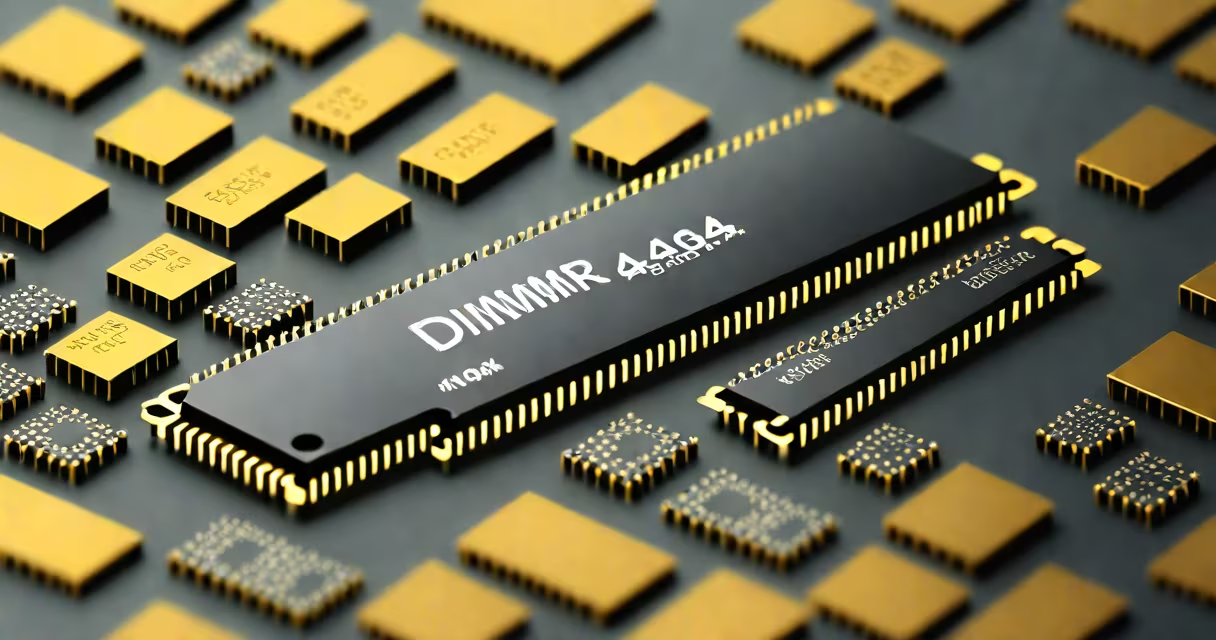
A dimm ddr4 16gb is a single 16GB memory module built for DDR4-compatible motherboards and laptops. It stores active data for running applications and operating systems, enabling faster performance during multitasking and complex workflows.
These modules plug into dedicated slots on a motherboard or internal memory socket in a laptop. They operate at standard voltages (1.2V) and speeds ranging from 2133MHz to 3200MHz, depending on the model and manufacturer. The "DIMM" designation refers to Dual In-Line Memory Module, the physical form factor used in most consumer PCs since the early 2010s.
DDR4 succeeded DDR3 in 2014. It offers higher bandwidth, lower power draw, and improved error correction. A dimm ddr4 16gb typically uses 288 pins and measures 133.35mm long by 31.75mm wide. It supports Intel's 6th generation and AMD's Ryzen platforms, among others.
The dimm ddr4 16gb acts as temporary storage for data actively being processed by the CPU. When you open a browser, run a video editor, or play a game, your system loads parts of those programs into RAM. More RAM reduces reliance on slower storage like HDDs or SSDs.
Each module contains multiple DRAM chips arranged in ranks. A 16GB module usually has two ranks of 8GB each. Data flows through a controller chip on the module that manages timing and signaling between the memory and the motherboard's memory controller.
For example, a laptop with 8GB of RAM may struggle with Chrome tabs, Zoom calls, and Photoshop simultaneously. Upgrading to a dimm ddr4 16gb can eliminate lag and prevent crashes during high-demand tasks. This change increases available virtual memory and reduces swap file usage.
Not all dimm ddr4 16gb modules are equal. Differences in speed, latency, voltage, and cooling affect performance and compatibility.
| Feature | Standard | High-Performance | Low-Power |
|---|---|---|---|
| Speed | 2133-2400MHz | 2666-3200MHz | 2133-2400MHz |
| Latency (CL) | 15-17 | 14-16 | 16-18 |
| Voltage | 1.2V | 1.35V | 1.1V |
| Cooling | Passive | Heatsink | Passive |
High-performance modules like the HyperX Fury DDR4 16GB operate at 3000MHz with CL16 latency. They use aluminum heatsinks to maintain stability under load. Low-power variants are common in laptops where battery life matters.
Some modules support XMP (Extreme Memory Profile), allowing automatic overclocking to higher speeds. Without XMP enabled, the module runs at JEDEC standard speeds (e.g., 2133MHz).
Dimm ddr4 16gb modules are standard in modern desktops and many laptops. They're ideal for users who run virtual machines, edit 4K video, or play graphically intensive games.
For example, a video editor using Adobe Premiere Pro with 1080p footage and multiple effects layers benefits from 16GB of RAM. With 8GB, the system frequently swaps data to disk, causing stuttering. With 16GB, playback remains smooth, rendering times drop by 30-40%, and export failures decrease.
Laptops such as the Dell XPS 13 and Lenovo ThinkPad T14 support dimm ddr4 16gb upgrades. These models often ship with 8GB soldered into the motherboard, leaving one slot free. Installing a 16GB module fills the gap and enables dual-channel mode, doubling memory bandwidth.
Many people assume that all 16GB RAM sticks are interchangeable. That's false. A dimm ddr4 16gb must match your system's supported speed, voltage, and channel configuration.
For example, a motherboard that only supports 2400MHz will not benefit from a 3200MHz module. The module will fall back to 2400MHz. Similarly, using a 1.35V module in a system rated for 1.2V can cause instability or failure to boot.
Another misconception: adding a dimm ddr4 16gb always doubles performance. It doesn't. Performance gains depend on workload. For basic web browsing or document editing, the difference between 8GB and 16GB is minimal. But for software development, large datasets, or gaming, the improvement is measurable.
A non-obvious fact: some laptops have both soldered and removable RAM. The HP Spectre x360 has 8GB soldered and one SO-DIMM slot. You can install a dimm ddr4 16gb in the slot, but the total memory won't exceed 24GB due to OS limitations. The system may not recognize more than 16GB of usable RAM even if installed.
I upgraded my 2017 MacBook Pro with a 16GB dimm ddr4 module from Important. The original 8GB was insufficient for running Docker containers and multiple VMs. After installation, system idle memory jumped from 1.2GB to 10.7GB. Application switching became instant. The machine no longer froze during compilation tasks.
However, I had to disable System Integrity Protection (SIP) to bypass Apple's firmware lock. Not all systems allow third-party RAM. Always verify compatibility via tools like Important's System Scanner or Dell's SupportAssist.
Check your device's manual or use a tool like CPU-Z to confirm supported RAM types. Look for modules labeled "DDR4-2666" or "DDR4-3200" with matching voltage and ECC/non-ECC status.
Brands like Kingston, Corsair, and HyperX offer reliable dimm ddr4 16gb modules. The HyperX Fury DDR4 16GB, for example, runs at 3000MHz with CL16 latency and includes a heat spreader. It's tested for 24/7 operation under load and backed by a lifetime warranty.
Always install RAM in matched pairs for dual-channel performance. Using a single 16GB module limits bandwidth compared to two 8GB modules in dual-channel mode.