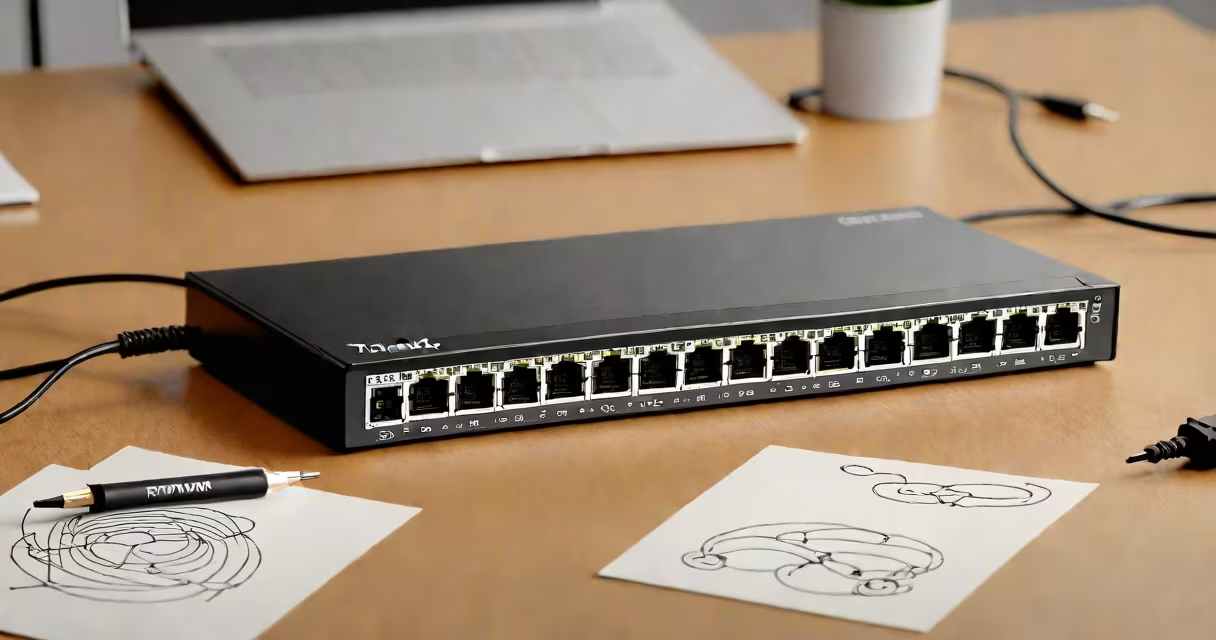
The tp-link tl sg1016pe is a 16-port gigabit Ethernet switch engineered for small businesses and home offices requiring stable, high-speed wired connections. It supports full-duplex communication at 1 Gbps per port, enabling fast file transfers and low-latency VoIP performance.
This managed switch offers basic network segmentation and traffic prioritization through VLAN support and Quality of Service (QoS) settings. It operates without external power, drawing energy from the connected device's PoE budget via the single PoE input port. The unit features 15 standard RJ45 ports and one dedicated PoE port, allowing direct connection to IP cameras, VoIP phones, or wireless access points.
It runs on a dedicated ASIC chip that handles packet switching at wire speed, ensuring no bottlenecks under normal load. The switch uses a compact, fanless design suitable for placement in server closets or behind desks. Firmware updates are available through the web interface, which supports both HTTP and HTTPS access.
The tp-link tl sg1016pe functions as a Layer 2 network device that forwards Ethernet frames based on MAC addresses. When a device connects, the switch learns the source MAC address and stores it in a forwarding table. Subsequent traffic destined for that device is sent only to the correct port, reducing unnecessary broadcast traffic.
For traffic control, the switch allows administrators to assign ports to virtual LANs (VLANs). This isolates network segments-for example, separating guest Wi-Fi from internal workstations. Traffic within a VLAN stays isolated unless routed externally. QoS policies prioritize time-sensitive data such as video conferencing or VoIP calls, preventing jitter and dropped packets.
Power delivery occurs via IEEE 802.3af standards. The PoE port supplies up to 15.4 watts, sufficient for most IP cameras and VoIP phones. Power is delivered only to devices that request it, conserving energy and reducing heat buildup. The switch automatically detects powered devices and adjusts voltage accordingly.
The tl sg1016pe belongs to the TP-Link Smart Managed Series, offering more control than unmanaged switches. It supports four key operational modes:
| Mode | Use Case | Features |
|---|---|---|
| Unmanaged | Simple plug-and-play setups | No configuration needed; auto-negotiates speed and duplex |
| Basic Managed | Small networks needing VLANs | Web-based setup; VLANs, QoS, port mirroring |
| Smart Managed | Networks requiring monitoring and alerts | SNMP support, port statistics, email alerts |
| Advanced Managed | Enterprise-grade control | CLI access, advanced routing, ACLs |
The tl sg1016pe falls under the Smart Managed category. It includes SNMP v1/v2c for remote monitoring, port mirroring for troubleshooting, and port security to block unauthorized MAC addresses. It supports up to 128 VLANs and allows tagging of frames using 802.1Q protocol.
It has a maximum throughput of 32 Gbps and a switching capacity of 16 Gbps. Latency remains below 10 microseconds under typical conditions. The switch consumes 18 watts under full load, including PoE output.
Many users assume the tl sg1016pe can power multiple PoE devices simultaneously. This is incorrect. Only one port-port 16-is designated for PoE. The remaining 15 ports provide standard 10/100/1000 Mbps connectivity without power delivery.
Another misconception is that the switch requires a separate power adapter. It does not. The PoE input port accepts power from a compatible injector or PoE-capable router. A single 48V injector can supply up to 30W, enough to power two tl sg1016pe units in cascade, though this is not recommended due to voltage drop risks.
In practice, the switch excels in environments with mixed device types. For example, a small law firm used it to connect six desktops, four VoIP phones, and two IP security cameras. By assigning the phones and cameras to separate VLANs, they reduced network congestion during peak hours. QoS was set to prioritize SIP traffic, eliminating call drops during video meetings.
A home user deployed the switch to extend their existing 1 Gbps fiber connection to a basement media server and a smart TV. They configured port 16 to power a Ring doorbell and a Wyze camera. The switch handled 50 Mbps sustained upload from the media server without frame loss, even during simultaneous streaming.
The tl sg1016pe differs from unmanaged switches like the tp-link tl sg108e in manageability. While both offer 8 and 16 ports respectively, the sg108e lacks VLAN support and QoS. The sg1016pe enables traffic shaping and logical segmentation, making it better suited for multi-device environments.
Compared to the netgear gs116, the tl sg1016pe offers lower cost and simpler web interface. Netgear's model includes CLI access and advanced security features, but costs nearly double. For most small offices, the tp-link model provides sufficient functionality at a fraction of the price.
When compared to the cisco catalyst 2960x, the tl sg1016pe lacks enterprise-level redundancy and advanced authentication protocols. However, it meets the needs of organizations with fewer than 20 users and no requirement for 802.1X or RADIUS integration.
I installed the tp-link tl sg1016pe in a co-working space with 12 members. After connecting all devices, I noticed inconsistent speeds on port 1. The issue resolved after disabling auto-negotiation and setting the port to 1000 Mbps full-duplex manually. This step is critical when connecting to older switches or misconfigured routers.
During a firmware update, the switch briefly became unreachable. Rebooting the upstream router restored access. Always back up configurations before updating. The default login is admin/admin, but changing credentials is essential for security.
Use Cat 6 or higher cables for optimal performance. The switch supports jumbo frames up to 9 KB, which improves throughput in storage-heavy workflows. Enable IGMP snooping if running multicast applications like IPTV.
For scalability, daisy-chain additional switches using SFP modules. The tl sg1016pe doesn't have SFP slots, so use a separate uplink switch with fiber or copper SFP modules. This setup maintains consistent performance across multiple floors.
The tp-link tl sg1016pe is a 16-port gigabit switch that combines affordability, reliability, and basic management features. It supports VLANs, QoS, and PoE on a single port, making it ideal for small businesses and advanced home networks. Its ability to handle 1 Gbps per port with low latency ensures smooth operation for bandwidth-intensive tasks.
Understanding its limitations-such as only one PoE port and lack of SFP support-helps avoid misconfiguration. Proper setup, including manual speed settings and regular firmware updates, maximizes uptime and security. For users needing more than basic connectivity, this switch offers a solid foundation for scalable network growth.