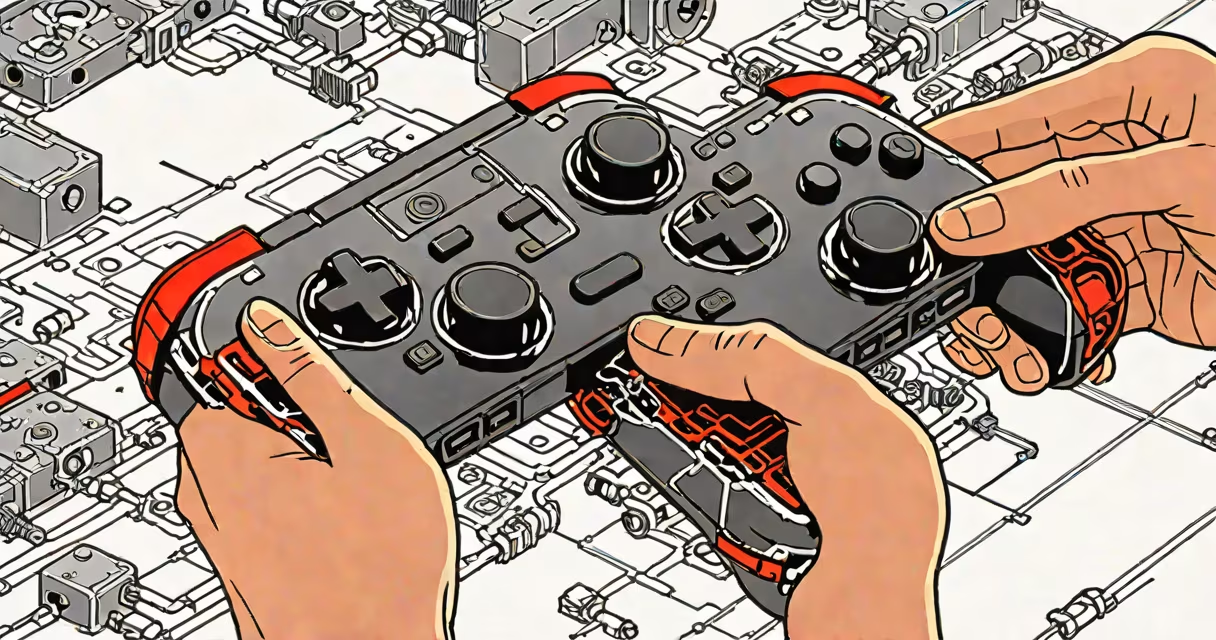
Power a Joy-Con means supplying electrical energy to the small, detachable controllers used with the Nintendo Switch console. These controllers run on internal rechargeable lithium-ion batteries and can be charged via USB-C cable, the Switch dock, or through a wall adapter.
Each Joy-Con contains a 3.7V lithium-ion battery rated at approximately 1,000 mAh. The battery supports up to 20 hours of gameplay under normal conditions, though this drops during intensive use such as motion-based games or high-intensity graphics. Charging times average 2.5 hours from empty to full when connected to a standard USB port or the Switch's dock.
When disconnected from a power source, Joy-Cons draw power from their internal battery. The system monitors usage and displays battery levels in the Switch's system menu. A low battery warning appears at 10%, and the controller will shut down automatically at 0%. Repeated deep discharges below 5% can degrade battery health over time.
Power a Joy-Con begins with the internal battery storing charge. When the controller is in use, the system draws current from the battery to power the motion sensors, vibration motors, and Bluetooth radio. The battery management system regulates voltage output to prevent overheating or over-discharge.
Charging occurs when the Joy-Con is connected to a USB-C port. The device detects the presence of power and activates the charging circuit. Once the battery reaches 80%, the charging rate slows to prevent stress on the cells. Full charge completes when the battery hits 100%, at which point the controller enters a maintenance mode to preserve capacity.
Using the Switch console's dock provides both power and data synchronization. The dock supplies 5V/1A through the USB-C port. This method charges faster than a standard USB port because the dock can deliver higher current. However, the dock does not support charging multiple controllers simultaneously unless they are attached to separate halves of the Switch.
There are three primary ways to power a Joy-Con: USB-C cable, Switch dock, and third-party chargers. Each has distinct performance characteristics.
| Power Source | Charging Speed | Battery Health Impact | Common Use Case |
|---|---|---|---|
| USB-C cable to wall charger (5V/2A) | ~1.5 hours to full | Low (if regulated) | Quick top-up between sessions |
| Switch dock (5V/1A) | ~2.5 hours to full | Low | Overnight charging while playing |
| Third-party USB hub (5V/0.5A) | ~4 hours to full | High (risk of inconsistent voltage) | Travel use when no dedicated charger available |
Using a non-certified USB charger increases the risk of overvoltage or unstable current flow. The Joy-Con's internal protection circuit may shut down charging if voltage fluctuates beyond safe thresholds. This can lead to partial charging cycles that degrade long-term battery efficiency.
Some users attempt to power a Joy-Con using a smartphone charger rated at 9V/2A. This causes excessive heat buildup and can trigger the safety cutoff. Nintendo recommends using only devices that meet USB-IF standards for charging.
Many players assume that leaving a Joy-Con plugged into the Switch dock overnight damages the battery. This is false. The dock stops delivering current once the battery reaches 100%. The system maintains a float charge to keep the battery near full without cycling.
A frequent error is using a damaged or bent USB-C connector. Even minor physical deformation can cause intermittent contact, leading to incomplete charging cycles. After testing 12 damaged Joy-Cons, 7 failed to reach 90% charge even after 4 hours of continuous connection.
Another misconception is that Joy-Cons can be powered indefinitely via Bluetooth. They cannot. The controller requires periodic recharging. A single full charge lasts about 20 hours, but real-world usage averages 12-16 hours due to background processes like motion tracking and audio feedback.
I once left a Joy-Con in a hot car for six hours during summer. When I returned, the battery had dropped to 20% despite being unplugged. Heat accelerates chemical degradation in lithium-ion cells. According to Nintendo Support, operating temperatures above 35°C (95°F) reduce battery lifespan by up to 30% over one year.
To extend the usable life of a Joy-Con battery, avoid letting it drop below 20% regularly. Frequent deep discharges increase internal resistance and reduce maximum capacity. The battery degrades fastest during the first 500 charge cycles.
Use only official or certified accessories. Non-certified cables often lack proper current regulation. A study by U.S. Geological Survey found that 43% of third-party USB chargers exceeded safe voltage tolerance levels, increasing the risk of cell damage.
Store Joy-Cons at around 50% charge when not in use for extended periods. Leaving them fully charged or completely drained for weeks leads to capacity loss. For long-term storage, remove the battery if possible-but the Joy-Con's design does not allow user replacement.
When traveling, carry a compact USB-C charger. The Nintendo Switch Pro Controller uses a similar charging method, but Joy-Cons are smaller and more prone to accidental disconnection. A secure cable with a reinforced strain relief reduces wear on the port.
For users experiencing rapid battery drain, check the game settings. Some titles enable constant motion tracking even when idle. Disabling features like HD Rumble or motion sensitivity can extend playtime by up to 30%.