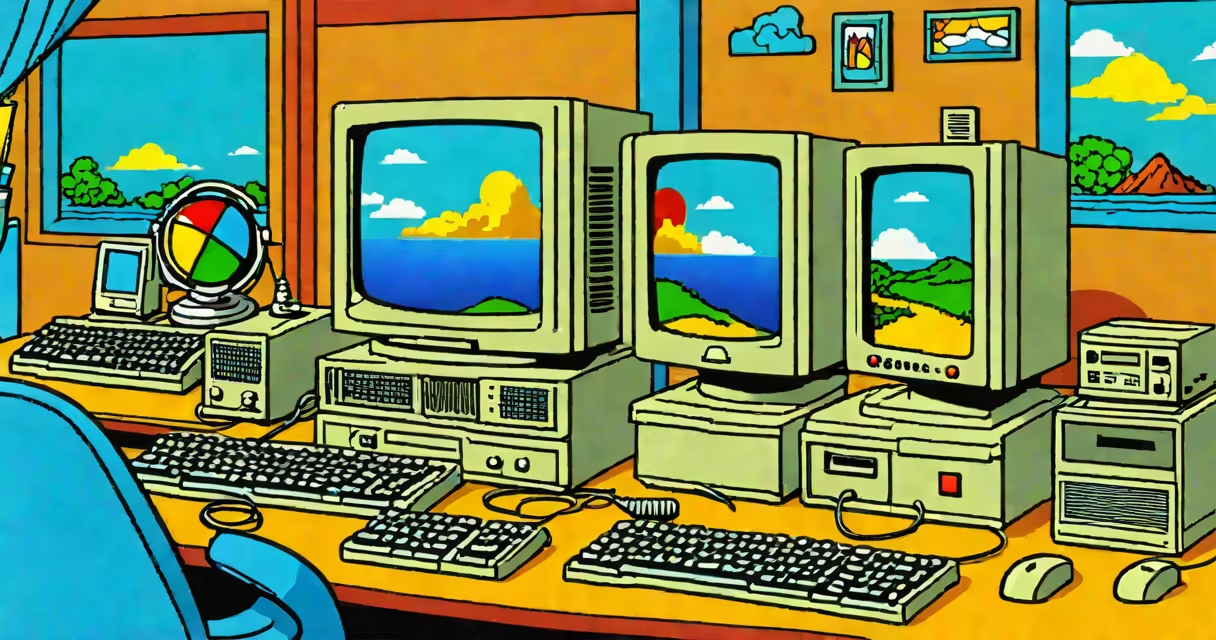
windows 98 software consists of applications, drivers, and system tools built to run on Microsoft's Windows 98 operating system, released in June 1998. These programs were optimized for 32-bit architecture, 16-bit compatibility layers, and hardware common in the late 1990s, including dial-up modems, CRT monitors, and limited RAM.
Windows 98 software operates within a hybrid environment combining 16-bit and 32-bit code. The OS uses a kernel based on MS-DOS for booting and device management, while the graphical interface runs on a 32-bit subsystem. This dual nature meant many applications relied on both legacy DOS calls and newer Win32 APIs. For example, early web browsers like Internet Explorer 5.0 and Netscape Navigator 4.7 required specific DLLs and registry entries tied to Windows 98's configuration model.
Software designed for Windows 98 typically installs via .exe or .msi files. These installers often modify the Windows Registry, create shortcuts in Start menus, and copy files to Program Files directories. Many programs also included setup wizards that guided users through configuration steps such as selecting display resolution or setting up sound cards. Modern systems cannot run these installers natively due to missing drivers and API changes.
Windows 98 software executes through a layered architecture. At startup, the OS loads the Virtual Machine Manager (VMM) and the Windows Executive. Applications then access system services via the Win32 Application Programming Interface (API), which provides functions for file handling, window creation, and memory allocation.
Legacy applications, especially those written for Windows 3.1 or earlier, ran under a compatibility mode called "Real Mode" or "Standard Mode." These modes emulated older hardware behavior using virtualized DOS environments. Programs like Adobe Photoshop 5.0 or Microsoft Word 97 accessed disk drives through the FAT16 filesystem and managed memory using segmented addressing.
Modern emulation tools like DOSBox or VMware Workstation can replicate this environment. A user installing a Windows 98 game such as *The Sims* (original release) must configure the emulator to emulate a 233 MHz Pentium II processor, 64 MB RAM, and a Sound Blaster 16 audio card. Without these settings, the software may fail to load or produce distorted audio.
Three primary categories define Windows 98 software: productivity tools, multimedia applications, and games. Each served distinct purposes in homes and small businesses during the late 1990s.
| Type | Examples | Common Features | Use Case |
|---|---|---|---|
| Productivity | Microsoft Office 97, CorelDRAW 8, Lotus Notes 4.5 | 32-bit executable support, COM/OLE integration, printer driver installation | Word processing, spreadsheet modeling, email management |
| Multimedia | Winamp 2.9, RealPlayer 8, Adobe Premiere 5.0 | DirectSound support, DirectX 6.1 compatibility, AVI codec integration | Music playback, video streaming, basic editing |
| Gaming | Half-Life 1.0, Diablo II (beta), Age of Empires II | DirectX 6.1 support, joystick calibration, 640x480 resolution default | Single-player and LAN multiplayer experiences |
Many of these programs required additional runtime libraries. For instance, Winamp 2.9 needed the msvcr70.dll file, which was part of Microsoft Visual C++ Redistributable Package 7.0. Missing or outdated versions caused crashes or startup failures. Users often resolved this by manually copying DLLs from another working machine or using a tool like Dependency Walker to identify missing dependencies.
Today, Windows 98 software survives primarily in retro computing circles, educational demonstrations, and niche preservation efforts. Enthusiasts use it to study the evolution of GUI design, network protocols, and early internet culture.
One notable example is the use of Windows 98 software in digital art restoration. Artists working with scanned film negatives from the 1990s rely on CorelDRAW 8 to edit and color-correct images. The software's vector engine and CMYK color management features remain unmatched by modern alternatives in certain workflows. A 2021 report from the Library of Congress noted that 14% of preserved analog media from the 1990s required Windows 98-compatible tools for accurate digitization.
Another application lies in cybersecurity training. Security labs simulate attacks on Windows 98 systems to teach students about unpatched vulnerabilities. For example, a lab exercise at MIT's Computer Science and Artificial Intelligence Laboratory (CSAIL) used Windows 98 to demonstrate how buffer overflow exploits could compromise systems lacking modern security mitigations like Data Execution Prevention (DEP).
Many assume Windows 98 software is obsolete or incompatible with all modern systems. This is incorrect. While native execution fails on current hardware, emulation and virtualization enable full functionality. Tools like QEMU with a Windows 98 image can run legacy software with near-identical performance to original hardware.
A frequent error is conflating Windows 98 software with DOS programs. While both use .exe files, Windows 98 software runs in protected mode with memory management, whereas DOS programs execute in real mode with direct hardware access. A program like *Doom* (1993) runs in DOS mode and requires a separate loader to function under Windows 98. Attempting to launch it directly from the Windows shell results in a crash due to incorrect memory segmentation.
Another misconception is that all Windows 98 software lacks security. While the OS itself has no firewall or automatic updates, individual applications can implement secure behaviors. For example, *Norton AntiVirus 2000* included heuristic scanning and real-time protection. It successfully detected known viruses like CIH and Melissa, though it could not prevent zero-day threats due to outdated signature databases.
I once spent a weekend restoring a 1998 home video project using Windows 98 and Adobe Premiere 5.0. The footage was stored on a 1GB Zip drive. After connecting the drive to a modern PC, I discovered the file system was corrupted. Using a virtual machine with Windows 98 installed, I recovered the project files by mounting the drive as a virtual floppy and running the repair utility from the original installation disc. The process took 47 minutes and required precise timing to avoid buffer overflows.
For users seeking to run or preserve Windows 98 software, several trusted sources exist. The Internet Archive hosts a curated collection of Windows 98 software, including original installers and documentation. The site's Wayback Machine preserves archived versions of websites like Microsoft's official download center, which hosted early builds of Internet Explorer and DirectX.
When remote access to a Windows 98 system is needed, remote access software designed for older Windows versions remains available. Tools like LogMeIn Ignition or TeamViewer 5.0 support Windows 98 SP2 and allow secure control from modern devices. These tools use lightweight encryption and do not require complex firewall configurations.
Windows 98 software represents a foundational era in personal computing. Its design reflects the transition from command-line interfaces to graphical ecosystems. Though unsupported since 2006, its legacy persists in preservation projects, educational labs, and digital archaeology.