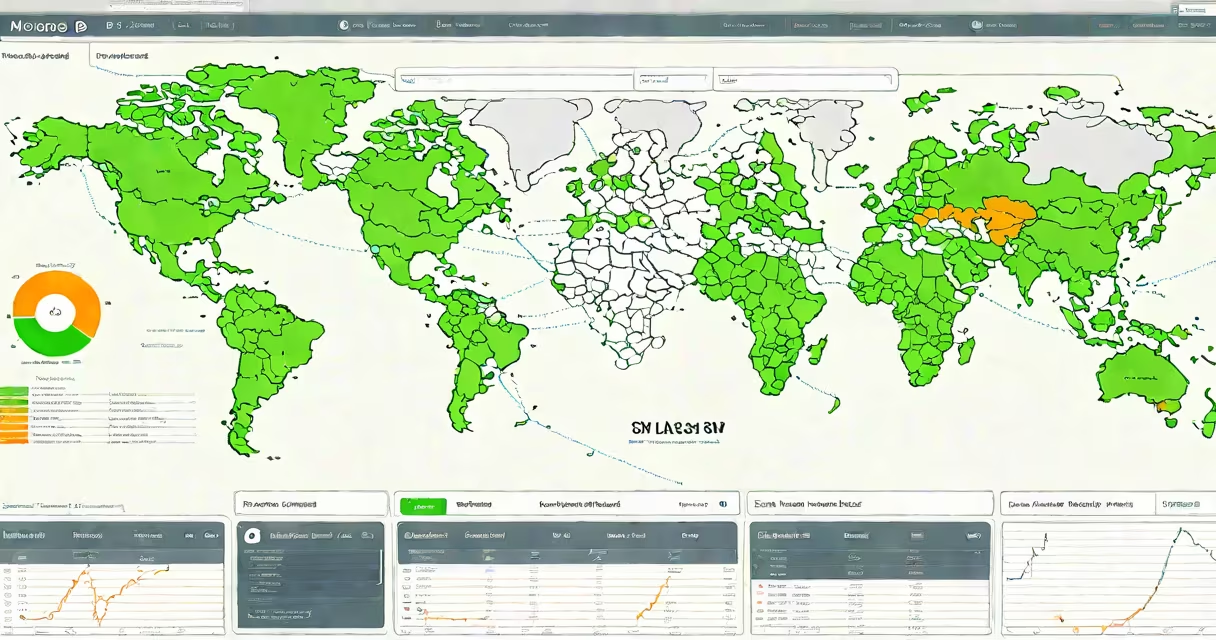
MongoDB Cloud Hosting is a fully managed database service that runs MongoDB on cloud infrastructure, automatically handling provisioning, scaling, backups, monitoring, and security. It enables developers to deploy and operate MongoDB clusters without managing physical servers or underlying software stacks.
Deployed through MongoDB Atlas, the official cloud platform, MongoDB Cloud Hosting provides consistent performance across AWS, Google Cloud, and Microsoft Azure environments. It supports multi-region replication, automated failover, and built-in encryption at rest and in transit. Users access databases via standard MongoDB drivers and APIs, with no changes to application code required.
According to MongoDB Inc., Atlas handles 99.95% uptime SLA across all regions and processes over 10 billion operations daily for enterprise customers. The service scales from development instances under 1 GB to production clusters exceeding 1 petabyte of storage capacity.
MongoDB Cloud Hosting operates by abstracting server management behind a web console and API. When a user creates a cluster, the system provisions virtual machines in a selected region, installs MongoDB binaries, configures networking, and sets up authentication. All configuration is stored in a centralized control plane.
Behind the scenes, Atlas uses Kubernetes orchestration to manage containerized MongoDB instances. Each cluster includes primary and secondary nodes for high availability. Automatic sharding distributes data across shards based on user-defined shard keys. Monitoring tools track CPU, memory, disk I/O, and query latency in real time.
For example, a SaaS startup deploying a customer analytics dashboard can create a 2-node replica set in the US-East region. Within 90 seconds, the cluster appears in the console, with a public endpoint and read/write access configured. The team connects using the MongoDB Node.js driver with a connection string like mongodb+srv://user:[email protected]/dbname.
Atlas offers three deployment tiers: Shared, Dedicated, and Serverless. Each targets different workloads and cost models.
| Deployment Type | Use Case | Storage | Scaling | Cost Model |
|---|---|---|---|---|
| Shared | Development, testing, small apps | Up to 25 GB | Manual scaling | Pay-per-hour |
| Dedicated | Production applications, compliance-heavy systems | 1 GB - 1 PB | Automatic scaling | Fixed hourly rate |
| Serverless | Variable traffic, event-driven workloads | Up to 1 TB | Auto-scale to zero | Per-operation pricing |
Shared clusters run on multi-tenant hardware, sharing resources with other users. Dedicated clusters provide isolated compute and storage, suitable for regulated industries. Serverless clusters scale down to zero when idle, charging only for actual database operations.
A common mistake is assuming all tiers support the same features. For example, Serverless does not allow custom network configurations or direct SSH access. Shared clusters lack private endpoints and advanced security policies available in Dedicated tiers.
MongoDB Cloud Hosting is often mistaken for self-hosted MongoDB on cloud VMs. While both use cloud infrastructure, self-hosting requires manual setup of MongoDB binaries, OS patching, backup scripts, and monitoring dashboards. With MongoDB Cloud Hosting, these tasks are handled automatically.
Another confusion arises between MongoDB Cloud Hosting and general cloud hosting providers like AWS EC2 or DigitalOcean. These platforms offer virtual machines where users install and manage MongoDB themselves. MongoDB Cloud Hosting is a database-specific service focused exclusively on MongoDB functionality.
Some assume MongoDB Cloud Hosting lacks customization. In reality, users can configure fine-grained access controls, set up audit logs, enable data masking, and define custom indexes. Atlas also integrates with identity providers like Okta and Azure AD for SSO.
During a project at a fintech company, we deployed a fraud detection engine using MongoDB Cloud Hosting. The team initially expected to spend two weeks setting up replication and backup policies. Instead, they created a 3-node replica set in under five minutes using the web interface. They later added IP whitelisting and field-level encryption-all without touching a terminal.
Organizations use MongoDB Cloud Hosting to reduce DevOps burden, accelerate time-to-market, and ensure compliance. The service supports GDPR, HIPAA, and SOC 2 Type II audits. Backup retention can be set from 7 to 365 days, with point-in-time recovery available within 5-minute intervals.
It's widely adopted in real-time applications such as IoT platforms, mobile backend services, and content management systems. A media company serving 2 million daily users used MongoDB Cloud Hosting to store user profiles, video metadata, and viewing history. The system handled 120,000 queries per second during peak hours with sub-50ms response times.
For teams building microservices, MongoDB Cloud Hosting simplifies cross-service data sharing. Each service can connect to a shared cluster while maintaining role-based access. This avoids the complexity of managing multiple standalone databases.
According to a 2023 report by Gartner, organizations using managed database services like MongoDB Atlas reduced unplanned downtime by 68% compared to self-managed deployments. The study cited improved incident response times and faster recovery procedures as key factors.
While MongoDB Cloud Hosting eliminates many infrastructure concerns, it doesn't replace application-level design. Poor schema choices or inefficient queries still degrade performance. A well-designed index strategy remains essential-even on managed platforms.
MongoDB Cloud Hosting delivers a turnkey solution for running MongoDB at scale. It removes the operational complexity of database management while providing enterprise-grade reliability and security. Developers focus on building features, not maintaining servers.