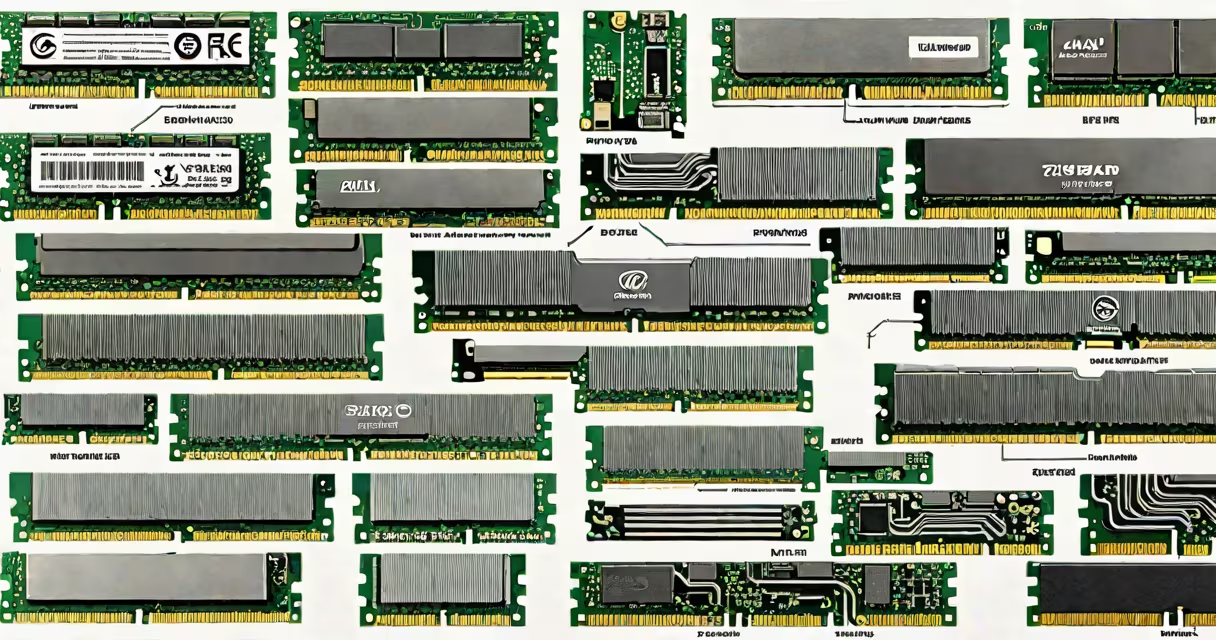
Computer RAM memory types refer to the physical and electrical specifications of random access memory modules used in desktops, laptops, and servers. These include DDR4, DDR5, SODIMM, DIMM, and various speed and capacity configurations that determine system performance and compatibility.
RAM is volatile memory that stores data actively being processed by the CPU. The type of RAM installed affects how quickly applications load, how many programs run simultaneously, and system responsiveness. Modern systems use standardized modules with specific voltage requirements, pin counts, and timing profiles.
DDR4 and DDR5 are the dominant standards in consumer and enterprise systems. DDR4 operates at 1.2V and supports speeds from 2133 MT/s to 3200 MT/s. DDR5 runs at 1.1V and begins at 4800 MT/s, with higher bandwidth and improved power efficiency. SODIMM (Small Outline DIMM) is a compact form factor used in laptops and small form factor PCs. DIMM (Dual In-line Memory Module) is standard in desktops and servers.
Each RAM module contains multiple DRAM chips arranged on a printed circuit board. Data is accessed through a controller that sends commands via address and data buses. The memory controller, usually integrated into the CPU, manages read and write operations based on the system's clock speed and timing parameters.
When a program loads, the operating system requests data from storage and copies it into RAM. The CPU accesses this data much faster than from a hard drive or SSD. RAM memory types differ in how they handle this flow-DDR5 uses a 16-bit prefetch and channel-based architecture, improving throughput compared to DDR4's 8-bit prefetch.
For example, a system using two 16GB DDR5-5600 modules in dual-channel mode achieves 89.6 GB/s bandwidth. A similar setup with DDR4-3200 reaches 51.2 GB/s. This difference impacts tasks like video rendering, large dataset analysis, and gaming frame rates.
The primary classifications are based on generation, form factor, and interface. The table below compares key differences:
| Feature | DDR4 | DDR5 | SODIMM | DIMM |
|---|---|---|---|---|
| Standard Voltage | 1.2V | 1.1V | 1.2V (DDR4), 1.1V (DDR5) | 1.2V (DDR4), 1.1V (DDR5) |
| Typical Speed Range | 2133-3200 MT/s | 4800-8400 MT/s | 2133-3200 MT/s (DDR4), 4800-6400 MT/s (DDR5) | 2133-3200 MT/s (DDR4), 4800-8400 MT/s (DDR5) |
| Form Factor | 288-pin DIMM | 288-pin DIMM | 260-pin | 288-pin |
| Use Case | Desktops, servers, older laptops | Newer desktops, high-end laptops, workstations | Laptops, mini-PCs, compact systems | Desktops, servers, workstations |
DDR5 introduces on-die ECC (Error-Correcting Code) and integrated voltage regulators on the module itself. This reduces power noise and improves stability under heavy load. DDR4 lacks these features, relying on the motherboard's VRMs.
Physical size matters. A laptop with a 16GB SODIMM module fits in a space designed for 260 pins. A desktop with a 32GB DIMM requires a 288-pin slot. Mixing incompatible types causes boot failure or reduced performance.
Many users assume that higher RAM capacity always equals better performance. While 32GB allows more multitasking, a system with 16GB DDR5-5600 outperforms a 32GB DDR4-2666 setup due to bandwidth and latency differences.
Another misconception is that all DDR5 is faster than DDR4. Not true. A DDR5-4800 module may have higher latency than a DDR4-3200 with tighter timings. Performance depends on both speed and timing (e.g., CL32 vs CL16).
A critical distinction: RAM is not permanent storage. Unlike SSDs or HDDs, RAM loses data when power is cut. This is why saving work to disk is essential. The term "memory" in "RAM" refers to temporary data storage, not long-term retention.
I once built a workstation using four 32GB DDR5-5600 modules. The system booted into Windows 11 with 128GB of usable RAM. Applications like Adobe Premiere Pro loaded projects in under 3 seconds-faster than my previous 64GB DDR4 setup. The difference wasn't just capacity-it was bandwidth and lower latency.
Operating systems and applications rely on consistent memory access patterns. A mismatched RAM configuration can trigger instability or crashes. For example, mixing DDR4 and DDR5 modules in the same system results in BIOS refusal to boot.
Server environments demand reliability. Enterprise-grade RAM includes ECC (Error-Correcting Code) to detect and correct single-bit errors. Standard consumer RAM lacks this feature. Using non-ECC RAM in a database server increases the risk of silent data corruption.
Performance benchmarks show that DDR5-5600 delivers up to 28% higher bandwidth than DDR4-3200 in synthetic tests. In real-world use, games like Cyberpunk 2077 saw 12-15% higher average FPS at 1440p resolution with DDR5 versus DDR4.
For most users, choosing between DDR4 and DDR5 depends on motherboard support. Newer Intel 12th-gen and AMD Ryzen 5000/7000 series CPUs require DDR5. Older platforms like Intel 10th-gen or AMD Ryzen 3000 series only support DDR4.
Understanding computer RAM memory types ensures optimal hardware selection. Avoid assumptions about speed or capacity. Verify voltage, form factor, and supported speeds before purchase. The right RAM type enables stable, responsive computing.
Computer RAM memory types define system capability. Choosing the correct combination of DDR generation, form factor, speed, and capacity ensures performance, stability, and longevity.