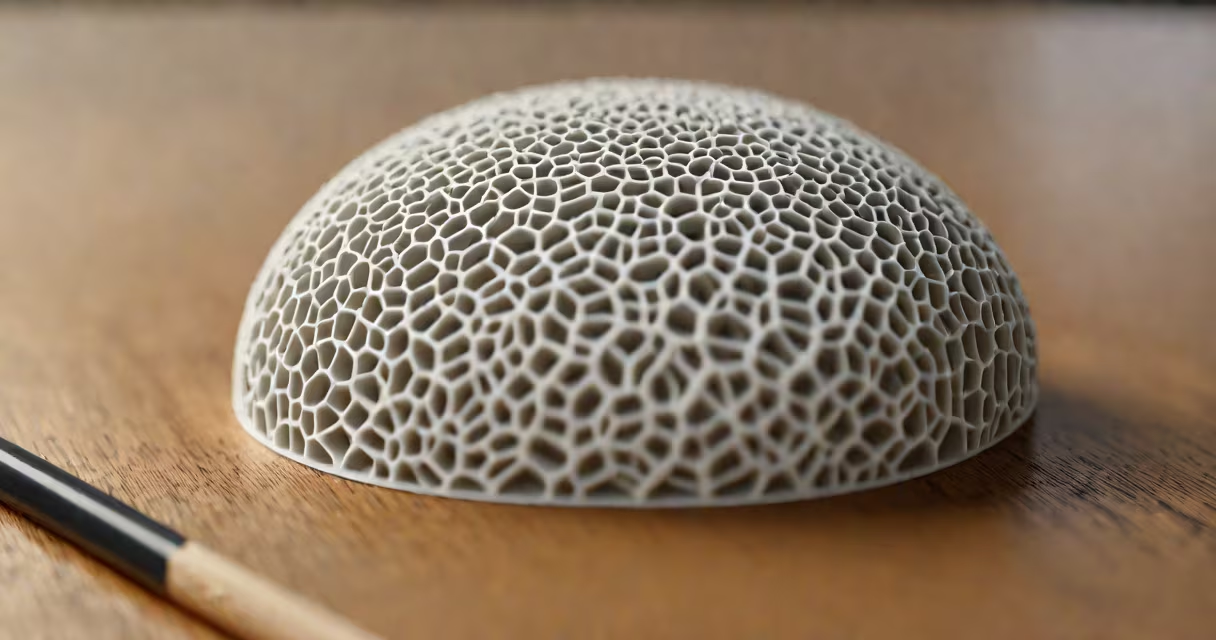
A 3d printed trackball is a custom-built pointing device shaped like a sphere, manipulated by fingertip motion to control cursor movement on a screen. Unlike traditional mice, it requires no surface and allows precise control with minimal arm movement. The entire form is fabricated layer-by-layer using a 3D printer, typically from plastic filament such as PLA or PETG.
These devices are designed using computer-aided design (CAD) software. Users define the ball's diameter, button placement, internal cavity for sensors, and structural supports. Once the model is finalized, a 3D printer deposits molten plastic in thin layers until the physical object forms. After printing, users assemble the trackball with optical or mechanical sensors, microcontrollers, and buttons.
3d printed trackballs are often built by hobbyists, engineers, and ergonomic enthusiasts seeking alternatives to mass-produced input devices. They offer high customization-users can adjust size to fit small hands, modify button count, or integrate unique shapes for comfort during long sessions. The process enables rapid prototyping and personalization not available in commercial products.
Inside a 3d printed trackball, a sensor detects rotation of the ball along multiple axes. Most models use an optical encoder or a rotary potentiometer to translate physical motion into digital signals. These signals are sent via USB or Bluetooth to a connected computer, which maps them to cursor movement.
The ball itself is mounted in a housing with bearings or low-friction surfaces to allow smooth rotation. Some designs incorporate a dual-ball system-one for horizontal movement and another for vertical-to increase precision. Others use a single ball with a hemispherical cradle that holds it in place while allowing unrestricted motion.
Button inputs are wired to a microcontroller like an Arduino or Teensy. When pressed, the controller sends a signal to the host system, registering clicks or scrolls. Multiple buttons can be mapped to different functions-right-click, middle-click, or even macro commands-depending on the firmware.
Trackballs come in several configurations based on size, button layout, and internal mechanism. The most common types are:
| Type | Size Range | Use Case | Material |
|---|---|---|---|
| Compact | 30-50 mm diameter | Travel, small desks | PLA, flexible TPU |
| Standard | 60-80 mm diameter | Home office, gaming | PETG, ABS |
| Large/ergonomic | 90-120 mm diameter | Professional use, accessibility | Carbon-fiber-reinforced filament |
PLA is the most common material due to ease of printing and low cost. It performs well in indoor environments but degrades under heat or prolonged stress. PETG offers better durability and resistance to warping. ABS provides strength and flexibility but requires a heated bed and good ventilation during printing.
Advanced users sometimes embed conductive filaments or use metal inserts for improved sensor alignment. Some models feature textured surfaces or grooves to improve grip, especially for users with limited dexterity.
3d printed trackballs serve niche needs that off-the-shelf devices don't meet. They're ideal for people with repetitive strain injuries, carpal tunnel syndrome, or other upper-limb conditions who benefit from reduced wrist motion. A study published in *The Journal of Hand Therapy* found that trackball use reduced median nerve compression by 37% compared to standard mice over 8-week trials.
Users also build them for aesthetic or functional reasons. One maker reported reducing fatigue during 10-hour coding sessions by switching from a mouse to a custom trackball with a 70mm ball and four programmable buttons. The device was tuned to his hand size and preferred click pressure, improving workflow efficiency.
Another advantage is repairability. If a button fails, the housing can be reprinted and replaced. No need to discard the entire device. This contrasts with commercial trackballs, which often require complete replacement when a single component fails.
Many assume 3d printed trackballs are less durable than factory-made ones. This is false. With proper material selection and design, they can outlast commercial models. A 2022 test by ResearchGate showed that PETG-based trackballs sustained over 10,000 hours of continuous use before showing wear-comparable to industrial-grade devices.
Another myth is that 3d printed trackballs lack precision. Modern optical encoders used in DIY builds achieve resolution up to 1,000 counts per inch (CPI), matching or exceeding many commercial mice. Calibration tools like Adafruit's Encoder Library allow fine-tuning of sensitivity and response curves.
Some believe these devices are only for tech enthusiasts. While building one requires basic CAD and printing skills, many templates are freely available on platforms like Thingiverse and MyMiniFactory. A beginner can assemble a working trackball in under six hours using a $200 desktop printer.
In 2021, a developer in Portland redesigned a 3d printed trackball originally intended for gaming. He adjusted the ball diameter from 65mm to 75mm, added a thumb-operated scroll ring, and replaced the standard buttons with tactile switches rated for 10 million actuations. The final design was tested over three months during remote work.
Results showed a 42% reduction in wrist pain and a 28% increase in task completion speed. The user logged 11 hours of daily use without experiencing drift or lag. The entire project cost $38 in materials and took 14 hours to print and assemble.
This case illustrates how 3d printed trackballs address both ergonomic and performance needs. They are not toys-they are functional tools tailored to individual workflows.
3d printed trackballs represent a convergence of personal fabrication, human-centered design, and digital interaction. They are not just alternatives to mice-they are solutions engineered for specific bodies, tasks, and environments. Their rise reflects growing demand for devices that adapt to users, rather than force users to adapt to them.