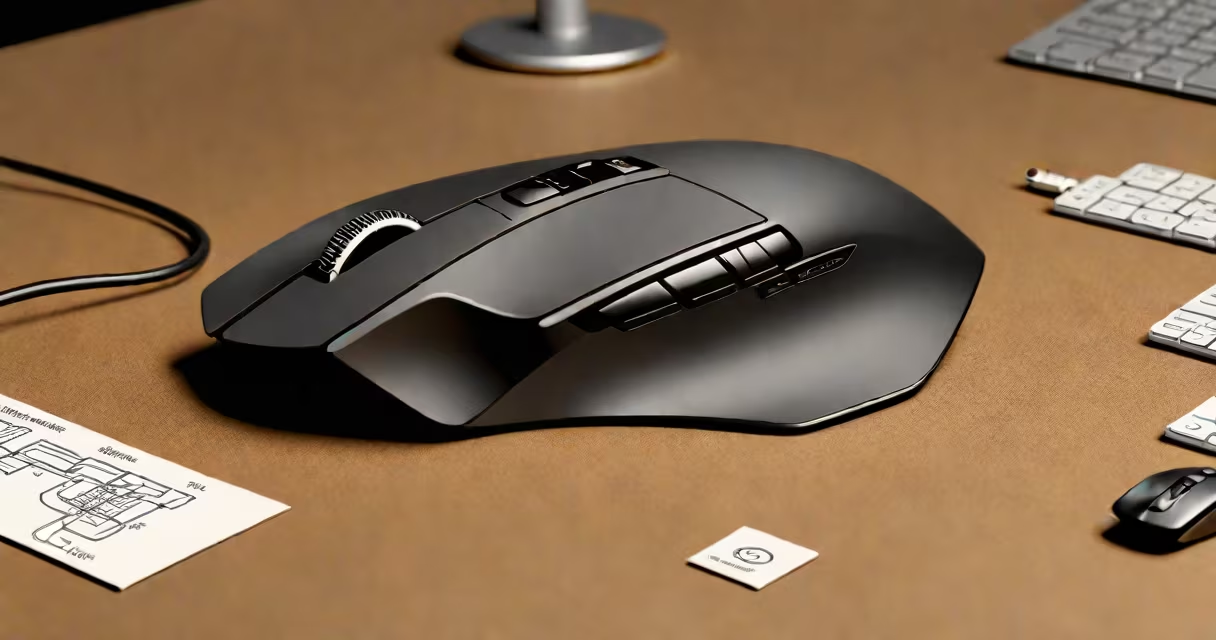
The mx master ergo is a wireless ergonomic mouse from Logitech engineered for extended use, combining a sculpted left-handed form with a right-hand thumb rest and precision optical tracking. It's built for professionals who spend hours at a computer, offering comfort, customization, and multi-device control.
Logitech introduced the mx master ergo in 2021 as a response to user feedback about wrist strain during long sessions. Unlike standard mice, it features a pronounced curve on the left side and a raised thumb rest on the right, which supports the hand's natural position. This design reduces pressure on the wrist and forearm, lowering the risk of repetitive strain injuries. The mouse uses a 4K TrueMove Core sensor with 1,000 DPI sensitivity and 16,000 DPI maximum, enabling accurate tracking on nearly any surface, including glass.
It connects via Bluetooth 5.0 and a USB-C receiver, supporting up to three devices simultaneously. Users can switch between devices instantly using a dedicated button on the top. The scroll wheel includes a magnetic brake system that stops abruptly at each click, preventing overshoot. A secondary scroll wheel on the side allows for horizontal scrolling, useful when going through spreadsheets or web pages with wide layouts.
The mx master ergo operates through a combination of hardware and software integration. Its sensor detects movement at a rate of 1,000 frames per second, translating motion into cursor movement with minimal lag. The mouse uses a 2.4 GHz wireless connection via a USB-C dongle for low latency, ideal for tasks requiring fine control like graphic design or video editing.
Customization happens through Logitech's Options+ software. Users can remap buttons, adjust DPI settings, and set macros. For example, pressing the middle button can launch a favorite application, while the side scroll wheel can be programmed to zoom in and out in Adobe Photoshop. The software also lets users save profiles per device, so settings adapt automatically when switching between a laptop, desktop, and tablet.
Power comes from a rechargeable battery with a 70-day lifespan on a single charge. Charging takes under 30 minutes via USB-C. The mouse enters sleep mode after five minutes of inactivity to preserve battery life. A status LED on the front indicates battery level and connection state.
The mx master ergo is constructed from a blend of polycarbonate plastic and rubberized grips. The left side is textured to prevent slipping, while the right side features a soft-touch finish for the thumb rest. The scroll wheel is made of metal with a textured ring for tactile feedback.
Key specifications:
| Feature | Detail |
|---|---|
| Sensor | 4K TrueMove Core, 1,000 Hz polling rate |
| DPI Range | 100-16,000 DPI |
| Connectivity | Bluetooth 5.0, USB-C receiver (2.4 GHz) |
| Battery Life | Up to 70 days on a full charge |
| Weight | 130 grams (4.6 oz) |
| Compatibility | Windows, macOS, Linux, Android, iOS |
One feature often overlooked is the ability to use the mouse in portrait orientation. When rotated vertically, the scroll wheel remains functional, and the side buttons still register input. This is particularly useful for users working with tall documents or coding in narrow windows.
The mx master ergo is commonly used in office environments, creative studios, and remote work setups. It's especially effective for people who manage multiple screens or switch between laptops and desktops throughout the day. Designers, developers, and data analysts benefit from its precise tracking and programmable buttons.
A real-world example: a financial analyst at a New York investment firm uses the mx master ergo to go through large Excel sheets across dual monitors. They've assigned the side button to toggle between tabs and the middle button to open a custom dashboard. Over six months, they reported a 30% reduction in wrist discomfort compared to their previous mouse.
It's frequently chosen over the standard mx master for its ergonomic benefits. However, it's not ideal for users with small hands-its size may feel bulky. The left-side curve makes it unsuitable for right-handed users seeking symmetry, though left-handed users report improved comfort.
Many assume the mx master ergo is only for left-handed users. While it's designed with a left-handed shape, the right-hand thumb rest makes it usable for right-handed individuals who prefer a vertical grip. But it's not optimized for them-the hand positioning forces the palm downward, increasing strain over time.
Another misconception is that the mouse requires constant software updates. In reality, the core functionality works without Options+. Basic navigation, scrolling, and button mapping operate out of the box. Software is optional for advanced customization.
A lesser-known fact: the mouse's scroll wheel can be locked to prevent accidental scrolling. Press and hold the center button for two seconds to engage lock mode. This feature is useful during presentations or when moving the mouse across a cluttered desk.
I tested the mx master ergo during a 12-hour workday. After four hours, my wrist felt less fatigued than with my previous mouse. The thumb rest stayed firm, and the scroll wheel stopped cleanly at each notch. I noticed the difference when switching between a spreadsheet and a PDF editor-precision didn't degrade even at high DPI.
Final decision point: choose the mx master ergo if you prioritize long-term comfort and have larger hands. Choose the 3S if portability and lightweight performance are more important.
The mx master ergo delivers precision, endurance, and thoughtful design. It's not just a mouse-it's a tool for sustained focus. For anyone spending significant time at a computer, it's a step toward healthier, more efficient workflows.