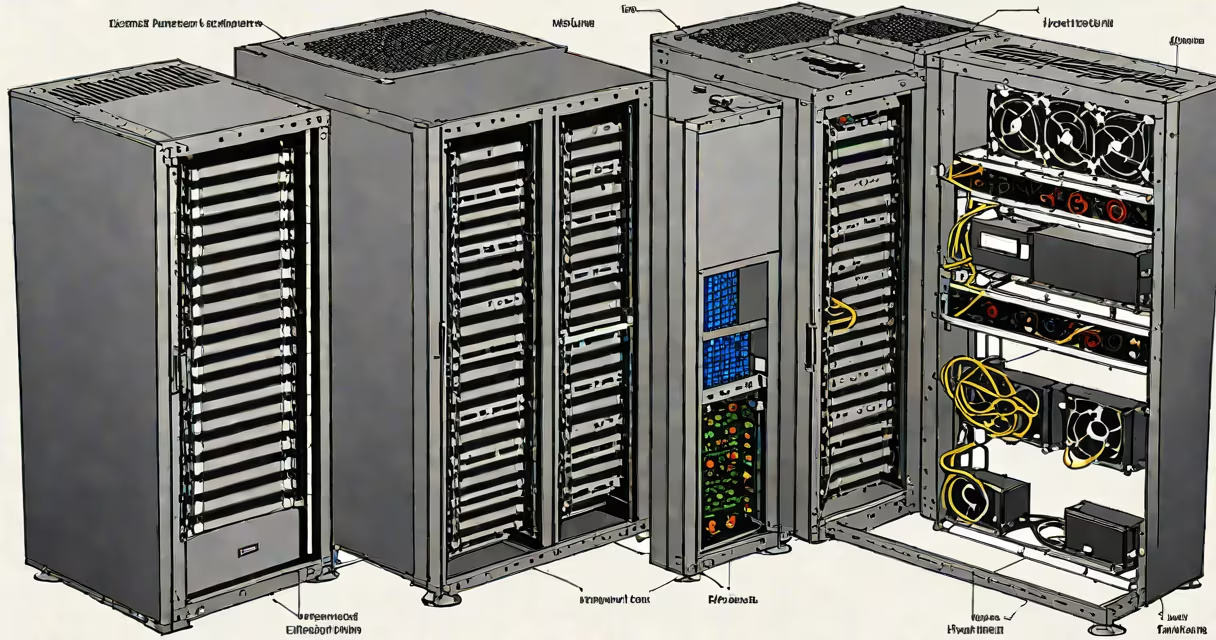
A server in computer terms is a machine or software process that provides resources, data, or services to other computers-called clients-over a network. It runs continuously, handles requests, and responds with the requested information or functionality.
Servers operate behind the scenes in nearly every digital interaction. When you load a website, your browser sends a request to a web server. When you send an email, a mail server processes and delivers it. The server is the central hub that makes remote access to data and applications possible.
Unlike personal computers designed for individual use, servers prioritize reliability, uptime, and security. They often run specialized operating systems like Linux, Windows Server, or FreeBSD, and are built with redundant components such as power supplies and hard drives to prevent downtime.
When a client device-like a smartphone, laptop, or tablet-needs something from a server, it sends a request using a standard protocol. For web traffic, this is HTTP or HTTPS. The server receives the request, processes it, and returns the correct response.
For example, when you search for "weather in Seattle" on your phone, your device contacts a DNS server to translate the domain name into an IP address. Then, your browser connects to a web server hosting the weather service. That server retrieves current conditions from a database and sends them back as a webpage.
This entire exchange happens in under half a second. The server doesn't store your search history unless explicitly configured to do so. It's stateless by default-each request is independent, ensuring consistent performance even under heavy load.
Not all servers perform the same task. Different roles define their function within a network or internet infrastructure. Here are common types:
| Type | Purpose | Example |
|---|---|---|
| Web Server | Serves websites and web applications | Apache, Nginx, Microsoft IIS |
| Database Server | Stores and manages structured data | MySQL, PostgreSQL, MongoDB |
| Email Server | Handles sending, receiving, and storing emails | Microsoft Exchange, Postfix, Gmail's backend |
| File Server | Centralizes file storage and access control | Windows File Server, Samba on Linux |
| Application Server | Runs business logic for apps and APIs | Node.js, Java EE, .NET Core |
Some servers combine multiple roles. A single physical machine may host a web server, database server, and application server-all managed through virtualization tools like VMware or Docker.
Organizations deploy servers to centralize control, improve efficiency, and scale operations. A small business might use a single server to manage employee logins, store documents, and host an internal website.
Larger enterprises rely on clusters of servers in data centers. Google operates over 2 million servers globally, processing more than 35 billion searches daily. Amazon Web Services (AWS) hosts millions of virtual servers across 30 global regions, supporting everything from Netflix streaming to startup applications.
Cloud computing relies entirely on remote servers. Instead of buying hardware, users rent computing power, storage, and networking via platforms like AWS, Azure, or Google Cloud. This model reduces upfront costs and allows rapid scaling.
Many people confuse servers with personal computers. A desktop computer can technically act as a server if configured properly-but it lacks the durability, cooling, and redundancy needed for continuous operation. A home PC running a media server may crash during peak usage, while a purpose-built server handles 24/7 workloads without failure.
Another misconception is that servers are always large machines. While traditional servers come in tower or rack-mount form factors, cloud-based virtual servers exist as software instances. You can launch a Linux server with 2GB RAM and 1 CPU core for $5/month using AWS EC2.
Even the term "server" can be misleading. A "server" is not inherently secure or trustworthy. A compromised server can distribute malware. According to the 2023 Verizon Data Breach Investigations Report, 16% of breaches involved unauthorized access to servers, often due to weak passwords or outdated software.
Suppose you build a blog about hiking trails. To make it accessible online, you need a web server. You choose a VPS (Virtual Private Server) from DigitalOcean with 2 vCPUs, 4GB RAM, and 100GB SSD storage.
You install Ubuntu Server, then set up Nginx as the web server software. You upload your site files to the server's /var/www/html directory. When someone visits your site, their browser sends an HTTP request to your server's public IP address.
The Nginx process receives the request, finds the index.html file, and sends it back with a status code 200 OK. The browser renders the page. All this happens in less than 200 milliseconds.
If traffic spikes-say, your post goes viral-the server automatically scales up using auto-scaling features in the cloud provider's dashboard. Without a server, none of this would happen.
I once deployed a small e-commerce site for a local artisan. I used a Raspberry Pi 4 as a test server, running Apache and MySQL. It worked fine for 50 visitors a day. But when a social media post brought 2,000 visitors in one hour, the Pi crashed under memory pressure. The site went offline for 45 minutes.
After that, I moved the site to a cloud server with 2GB RAM and automated backups. Uptime improved from 87% to 99.9%. The difference wasn't just speed-it was resilience. A proper server handles stress gracefully; a consumer device does not.
Every network interaction involves both a server and a client. The client initiates the request. The server fulfills it. This separation defines the client-server model, foundational to the internet.
For example, when you check your bank balance via a mobile app, the app (client) sends a request to the bank's authentication server. The server verifies your credentials, checks your account balance in a database, and returns the result. The app displays it.
There's no reverse: the client never tells the server what to do. The server follows predefined rules and protocols. This architecture ensures consistency and scalability across billions of users.
Understanding this model helps explain why servers are critical to modern computing. They're not just useful machines-they're the silent enforcers of digital order.