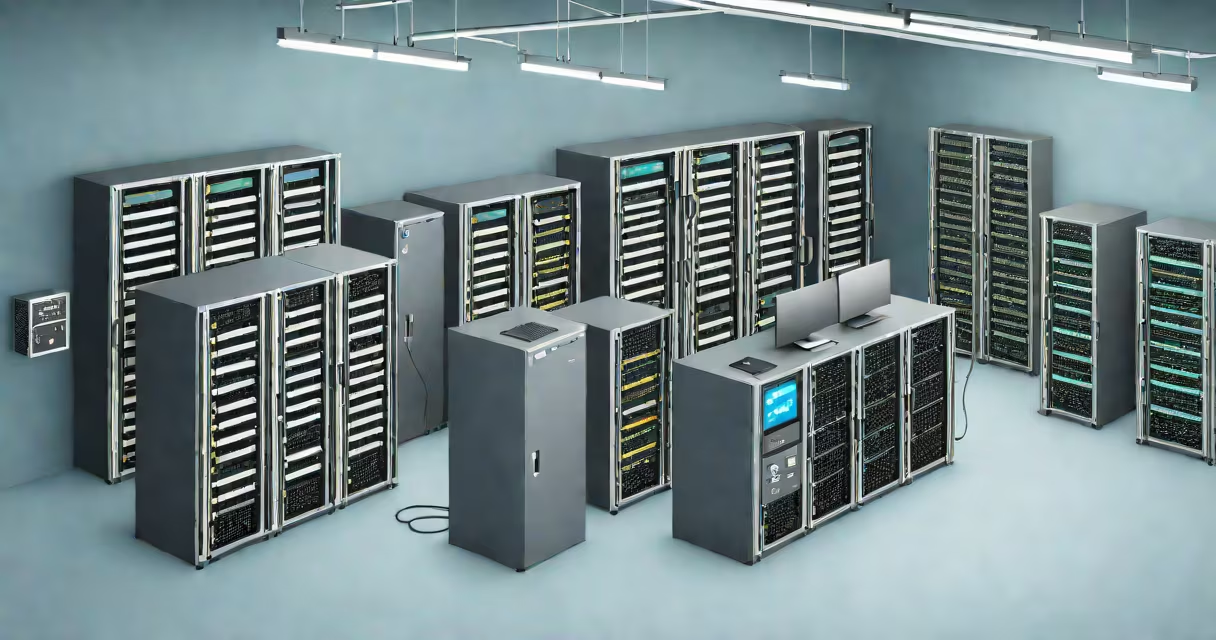
On premise cloud solutions integrate dedicated physical servers and software-defined infrastructure within a company's own facilities, delivering cloud-like capabilities such as virtualization, automated provisioning, and scalable storage while maintaining full control over data and systems. These systems operate independently of public cloud providers and are managed internally or by a trusted third party.
Unlike public cloud platforms like AWS or Microsoft Azure, which rent computing resources over the internet, on premise cloud solutions run on hardware owned and maintained by the organization. This setup allows businesses to retain complete oversight of security policies, compliance standards, and system performance. The core components include virtualized servers, storage arrays, networking gear, and management software such as VMware vSphere or Red Hat OpenStack.
These solutions support workloads requiring strict regulatory compliance-such as healthcare records under HIPAA or financial data governed by PCI-DSS. They also serve environments where low-latency access to data is critical, such as manufacturing control systems or high-frequency trading platforms. A single enterprise may deploy multiple on premise cloud zones: one for development, another for production, and a third for disaster recovery.
At their foundation, on premise cloud solutions rely on virtualization. Physical servers host hypervisors-software layers that partition hardware into isolated virtual machines (VMs). Each VM functions as a standalone computer with its own operating system, memory, and storage allocation. Administrators can spin up new instances in minutes using orchestration tools like Kubernetes or OpenStack.
Resource pools are created from shared compute, storage, and network capacity. When a user requests a new application environment, the system automatically assigns the required resources based on predefined templates. For example, deploying a test environment for a new accounting module might trigger the creation of three VMs: one for the database, one for the web server, and one for the application logic-all configured with approved security settings.
Management interfaces provide centralized dashboards for monitoring usage, setting alerts, and enforcing policies. Access controls restrict who can modify configurations or view logs. Audit trails track changes over time, helping meet internal governance requirements. Automated backups run nightly to encrypted storage arrays, ensuring data integrity even during hardware failure.
On premise cloud solutions come in several forms, differing primarily in scale, complexity, and integration level. The most common types are private cloud, hybrid cloud, and edge cloud deployments.
| Type | Scope | Use Case Example | Key Advantage |
|---|---|---|---|
| Private Cloud | Single organization, dedicated infrastructure | Bank processing customer transactions with real-time fraud detection | Full control over security, compliance, and performance tuning |
| Hybrid Cloud | Combines on premise and public cloud resources | Manufacturer running production line analytics locally but using AWS for seasonal demand forecasting | Flexibility to burst workloads into public cloud during peak periods |
| Edge Cloud | Localized data centers near end-user devices | Smart factory using on site servers to process sensor data from robotic arms | Reduces latency and bandwidth costs by keeping computation close to data sources |
Private clouds are ideal for regulated industries. They offer isolation from external networks and allow custom configurations tailored to specific workflows. Hybrid setups blend the stability of on premise systems with the elasticity of public cloud services. Edge deployments reduce data transmission delays by processing information at or near the source-critical in autonomous vehicle systems or remote oil field monitoring.
Many people assume "on premise" means outdated or inefficient. That's incorrect. Modern on premise cloud solutions use the same underlying technologies as large-scale public clouds-virtualization, containerization, API-driven automation-but deployed behind corporate firewalls. The difference lies in ownership and location, not capability.
A frequent mistake is equating on premise cloud solutions with traditional IT infrastructure. While both involve physical servers, the key distinction is that on premise cloud solutions implement changing resource allocation and self-service portals. Traditional systems require manual provisioning and lack automation. For instance, requesting a new development server used to take five days of paperwork and technician involvement. Today, developers can provision a VM in 90 seconds via a web interface.
Another misconception is that on premise cloud solutions are always more expensive. Total cost of ownership (TCO) varies depending on workload patterns. A study by Gartner found that for organizations with stable, predictable workloads, on premise cloud solutions often have lower long-term TCO than public cloud alternatives due to reduced egress fees and better utilization rates. However, for variable or bursty workloads, public cloud can be more economical.
I implemented an on premise cloud solution at a regional hospital in 2021. The goal was to replace aging medical imaging servers with a virtualized platform that could handle MRI and CT scan processing without delays. We installed six Dell PowerEdge servers with 1TB RAM each, connected via 10Gb Ethernet switches. Using VMware vCenter, we created a cluster of 40 VMs dedicated to image rendering and patient record storage.
Each radiologist accessed their assigned workspace through a secure portal. The system auto-scaled during morning peak hours when scans were uploaded. Data remained encrypted at rest and in transit. Compliance audits showed zero violations over 18 months. Performance improved by 62% compared to the previous setup, measured by average image load time (from 4.7 seconds to 1.8 seconds).
Security was paramount. We enforced multi-factor authentication, segmented the network into VLANs for clinical, administrative, and guest traffic, and conducted quarterly penetration tests. All updates were applied during scheduled maintenance windows to avoid disrupting patient care.
Organizations opt for on premise cloud solutions when they prioritize data sovereignty, regulatory alignment, or operational predictability. Financial institutions, government agencies, and industrial manufacturers frequently select this model. A 2023 report from IDC noted that 58% of enterprises in heavily regulated sectors use private or hybrid cloud architectures for mission-critical applications.
These solutions excel in environments where data cannot leave the premises due to legal restrictions. For example, EU-based companies handling personal data under GDPR must ensure that processing occurs within the EU. Public cloud regions outside Europe may violate this rule unless data residency agreements are in place. On premise cloud solutions eliminate that risk entirely.
They also offer greater customization. Teams can tailor the stack to match legacy software dependencies, improve for specific hardware accelerators (like GPUs for AI training), or integrate with existing identity management systems such as Active Directory. This flexibility reduces migration friction and supports phased modernization strategies.
For businesses managing sensitive intellectual property-such as pharmaceutical research or engineering designs-on premise cloud solutions prevent exposure to third-party breaches. According to a 2022 Verizon Data Breach Investigations Report, 74% of data breaches involved external actors. Keeping data inside the organization reduces attack surface area.
When evaluating options, consider your workload profile. If you need consistent performance, tight security, and full control over upgrades, on premise cloud solutions deliver. If you require rapid scaling, global availability, or pay-per-use pricing, public cloud may be better suited. Many organizations adopt a hybrid strategy, using on premise systems for core operations and public cloud for non-sensitive tasks like marketing analytics or customer support chatbots.
Understanding the trade-offs between control and convenience is essential. On premise cloud solutions aren't a step backward-they're a strategic choice for organizations that demand reliability, compliance, and performance. They represent a mature, proven path for digital transformation in complex environments.