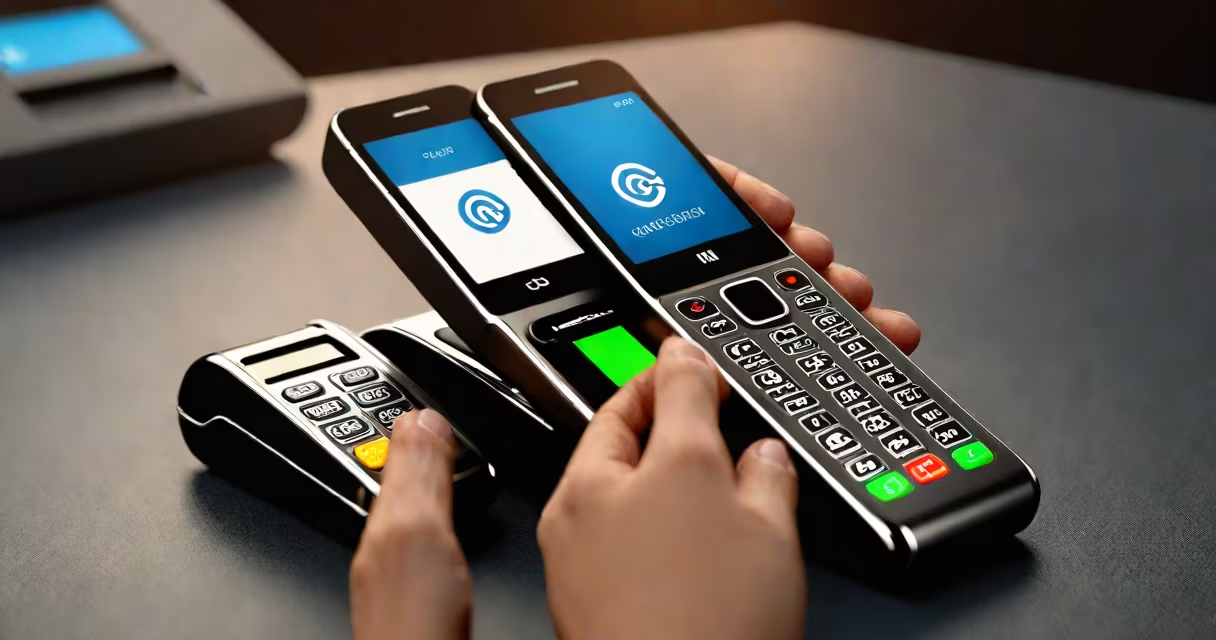
NFC in cellphone refers to Near Field Communication technology embedded in smartphones to enable short-range wireless data transfer between devices within a few centimeters. It powers contactless payments, quick pairing with accessories, and smooth data sharing without requiring Bluetooth setup or Wi-Fi.
NFC operates at 13.56 MHz and transfers data at speeds up to 424 kbit/s. The technology uses electromagnetic induction between two loop antennas-one in the phone, one in a compatible reader or device-within a range of 4 cm (about 1.5 inches). This proximity requirement ensures security and prevents accidental connections.
Modern smartphones such as the iPhone 7 and later models, Samsung Galaxy S series, Google Pixel phones, and many others include NFC chips. Apple introduced NFC support in 2014 for Apple Pay, while Android devices have had it since 2010. The feature is standard across most flagship and mid-tier phones sold since 2015.
NFC in cellphone functions using passive communication. When a phone approaches an NFC-enabled terminal or another NFC-capable device, the phone's antenna picks up the radio frequency signal from the other device. The phone then responds by sending its own signal containing encrypted data.
This exchange happens in under 100 milliseconds. For example, when tapping a phone to a payment terminal, the phone sends a tokenized version of the user's card details-not the actual card number-to complete the transaction. The terminal verifies the payment through a secure channel managed by the card network (Visa, Mastercard, etc.).
NFC also supports multiple modes: reader/writer mode (where the phone reads data from an NFC tag), peer-to-peer mode (where two phones share files or initiate a connection), and card emulation (where the phone acts like a contactless credit card).
The primary uses of NFC in cellphone fall into four categories: mobile payments, access control, data sharing, and smart device interaction.
| Use Case | How It Works | Examples |
|---|---|---|
| Mobile Payments | Phone emulates a contactless card via tokenization. | Apple Pay, Google Wallet, Samsung Pay |
| Access Control | Phone acts as a digital key for doors, locks, or parking systems. | Hotel room keys, office entry cards, car key fobs |
| Data Sharing | Two phones exchange small data packets like URLs or contacts. | Android Beam (now replaced by Nearby Share), iOS Handoff |
| Smart Device Setup | Tap-to-connect for headphones, speakers, or IoT devices. | Pairing AirPods, connecting to smart TVs, setting up smart lights |
A common misconception is that NFC requires internet connectivity. It does not. The data exchange occurs entirely locally via radio waves. Internet access is only needed during initial setup or to authenticate transactions with a server-but not for the tap itself.
NFC in cellphone is widely adopted because it offers speed, convenience, and security. A single tap replaces typing PINs, scanning QR codes, or manually pairing devices. Retailers globally accept NFC-based payments-over 80% of U.S. retailers support contactless transactions as of 2023, according to the National Retail Federation.
For travelers, NFC in cellphone simplifies transit access. Cities like London (Oyster card), Tokyo (Suica), and New York (OMNY) allow users to tap their phone to enter subways or buses. The system stores fare balances securely on the phone and deducts them automatically upon entry.
Another practical use is pairing smart home devices. Tapping a phone to a smart thermostat or lightbulb triggers automatic configuration. The device broadcasts its network credentials via NFC, and the phone connects instantly-no Wi-Fi password entry required.
NFC in cellphone is often mistaken for Bluetooth or QR codes. While all three enable wireless data transfer, they differ in range, power use, and setup complexity.
Bluetooth operates at longer ranges (up to 10 meters), consumes more battery, and requires manual pairing. NFC operates only within 4 cm, uses minimal power, and completes handshakes automatically. QR codes require a camera scan and are static-once scanned, they don't update. NFC tags can be rewritten dynamically.
A frequent error is assuming NFC in cellphone can be hacked remotely. This is false. Because NFC requires physical proximity (within 4 cm), attacks are nearly impossible without direct access to the device. The encryption layer used by payment platforms ensures even if someone intercepted the signal, they couldn't extract usable data.
One non-obvious fact: Not all NFC tags are created equal. There are different NFC tag types (Type 1 through Type 5), each with varying memory sizes and write capabilities. Most consumer smartphones can read all types but may only write to Type 2 and Type 4 tags. A phone won't write to a Type 1 tag unless specifically supported.
In 2022, I used my Samsung Galaxy S21 to board the London Underground. I had set up the Oyster app via NFC during registration. On arrival at the gate, I held the phone against the reader. The green light flashed, and the gate opened. The entire process took less than two seconds.
Behind the scenes, the phone sent a unique identifier to the terminal. The terminal validated it against the user's account balance stored on the cloud. The transaction was processed in real time, and the balance updated instantly. No internet was needed on the phone during the tap-only during syncs.
This example shows how NFC in cellphone combines speed, security, and reliability. It eliminated the need to carry a separate card, wait in line, or worry about losing a ticket.
NFC in cellphone is not a gimmick-it's a proven, secure, and efficient method for enabling everyday interactions. From paying for coffee to unlocking your front door, it reduces friction in daily tasks. As more services adopt NFC-based authentication and access, its role in mobile ecosystems will grow.
When you see the NFC symbol on your phone, know it's not just a logo-it's a gateway to faster, smarter interactions.